September 19th, 2025
Time Balance, Budget-splitting, Add multiple, and New CSV Exports
How many plus hours do I have?
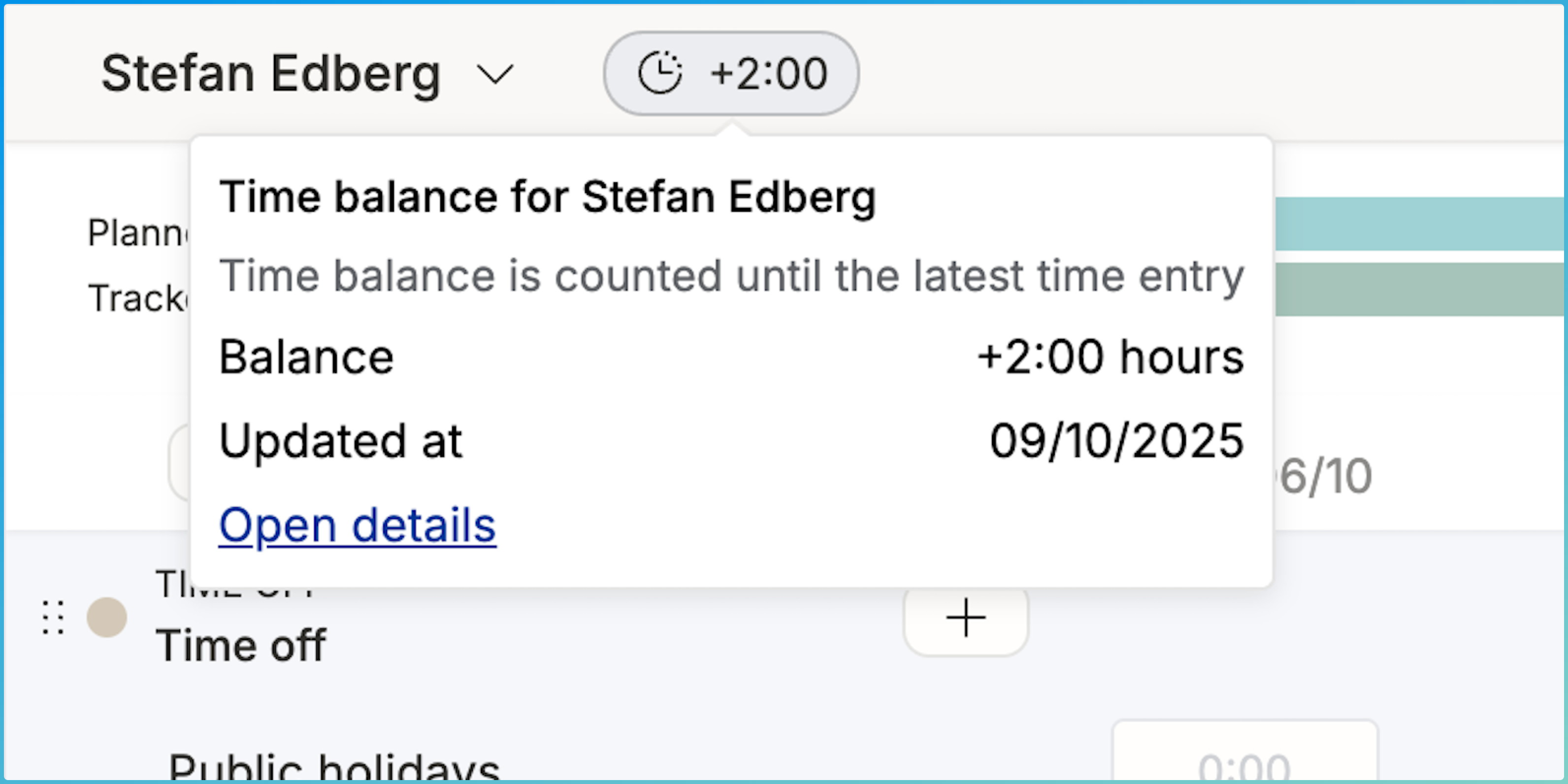
It’s common to track under/overtime with a Time Balance. For an employee, it typically allows for working at higher intensity for some time and then take well-earned time off afterwards, spending the flex balance plus hours. Operating now offers you the option to switch Time Balance on. After enabled from the Time Tracking Settings, you can:
see your own balance ± on top of the Hours UI
track time to a “flex leave” time off category to deduct from your balance
see everyone’s balance on the People Horizon
reset the balance from the same place, in case the plus hours were paid as salary
Read more on this support page.
Split budgets to follow how many % of project value has been delivered
For fixed price work, progress is rarely directly tied to the number of hours spent. Sometimes you find yourself at 30% done at the halfway point, other times it’s been smooth sailing and you could be already at 70%. In these situations, it makes sense to pause to adjust the budgets to match reality:

Split on yesterday and set the first budget to match your progress. Make changes to the rest of the budget accordingly – and allocate fewer or more hours to the remainder.
This is groundwork for the FP revenue recognition features we’re shipping next. Can’t wait to tell you more about them! As a teaser, I’m just going to mention that you can finally attribute the value of the work done to people and to past weeks and months. Your finance team will thank you.
Quick! Let’s add the team setup!
It’s now easier than before to add multiple people at once – typically, you the whole team setup early on, even before the exact allocation schedule is known.

Hit the “+ Add multiple” button to open a dialogue that remembers the Roles you frequently use. Doing this early in the staffing process lets everyone see what size the team will be and whether or not their role is going to be needed.
By the way, in the above picture, you can also see the Discovery phase being planned. Have you tried Phases yet? As a sidenote to a bytheway, try out the Find person… the next time you’re here. The suggestions are likely useful!
All of this work is part of our bigger initiative of making enterprise grade staffing more powerful. Builders of big teams, rejoice!
Export open positions, available people, etc
It’s quite common for heavy Operating users to have colleagues who don’t access the app. For them, it might be best practice to share the situation in a spreadsheet and summarise things so that they don’t get that “too much information, sir” sensation.
CSV exports also give you the opportunity to take a snapshot of your situation today – which might be useful for a deeper analysis of today vs. a month from now, for example.

And many more updates
Support for more HiBob time off types (they support a huge number of different policies!)
Paint new budgets directly on the Timeline
Approval flows: new permission for “approve any time entry”, useful for admins
More detailed financial visibility permissions
To be invoiced -list became clearer: this time we reduced the amount of info (!)
Invoice REST API → here
A handful of Time entry list & timesheet bugfixes. Also supported: manual sorting of rows on the timesheet:
