Changelog

Follow new updates and improvements to Operating.

Project statuses, a calmer timeline, and Xero is live
Customizable project statuses are here

As announced last week, projects now have customizable statuses and explicit end states (completed or cancelled).
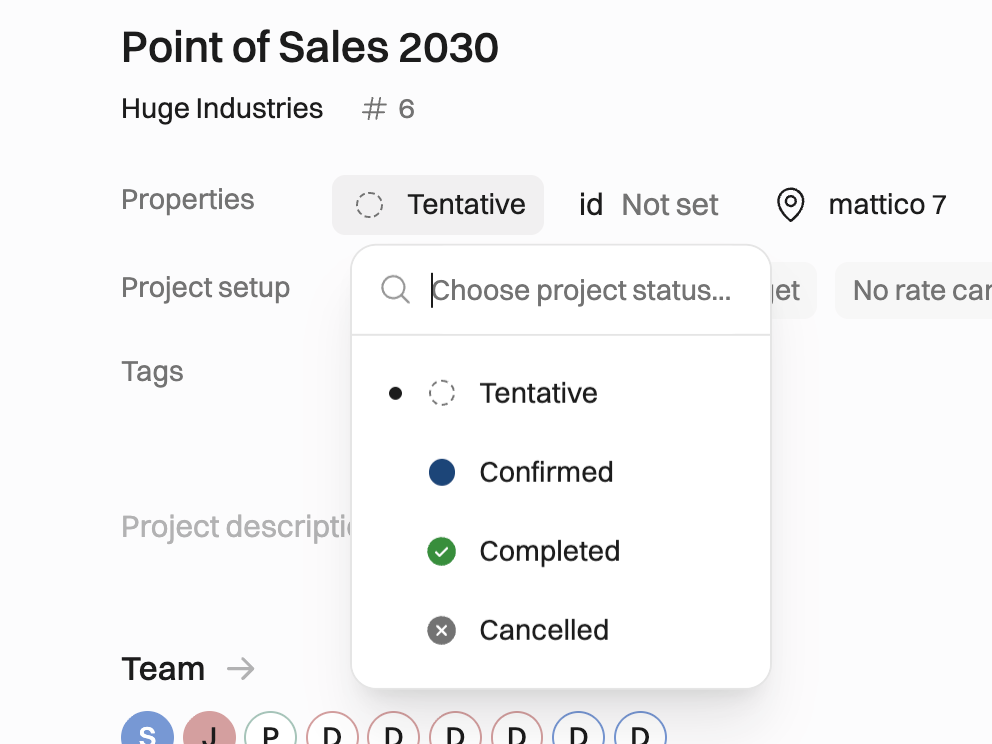
  • Status picker on the project page. Move a project between Tentative, Confirmed, Completed and Cancelled from the project header.

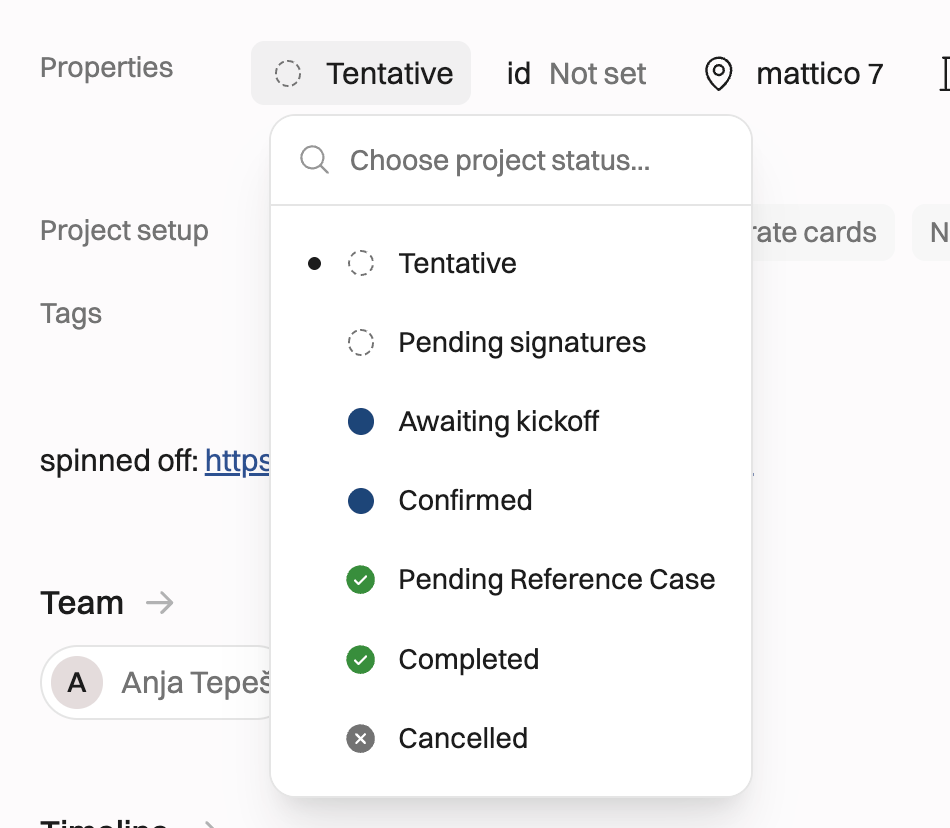
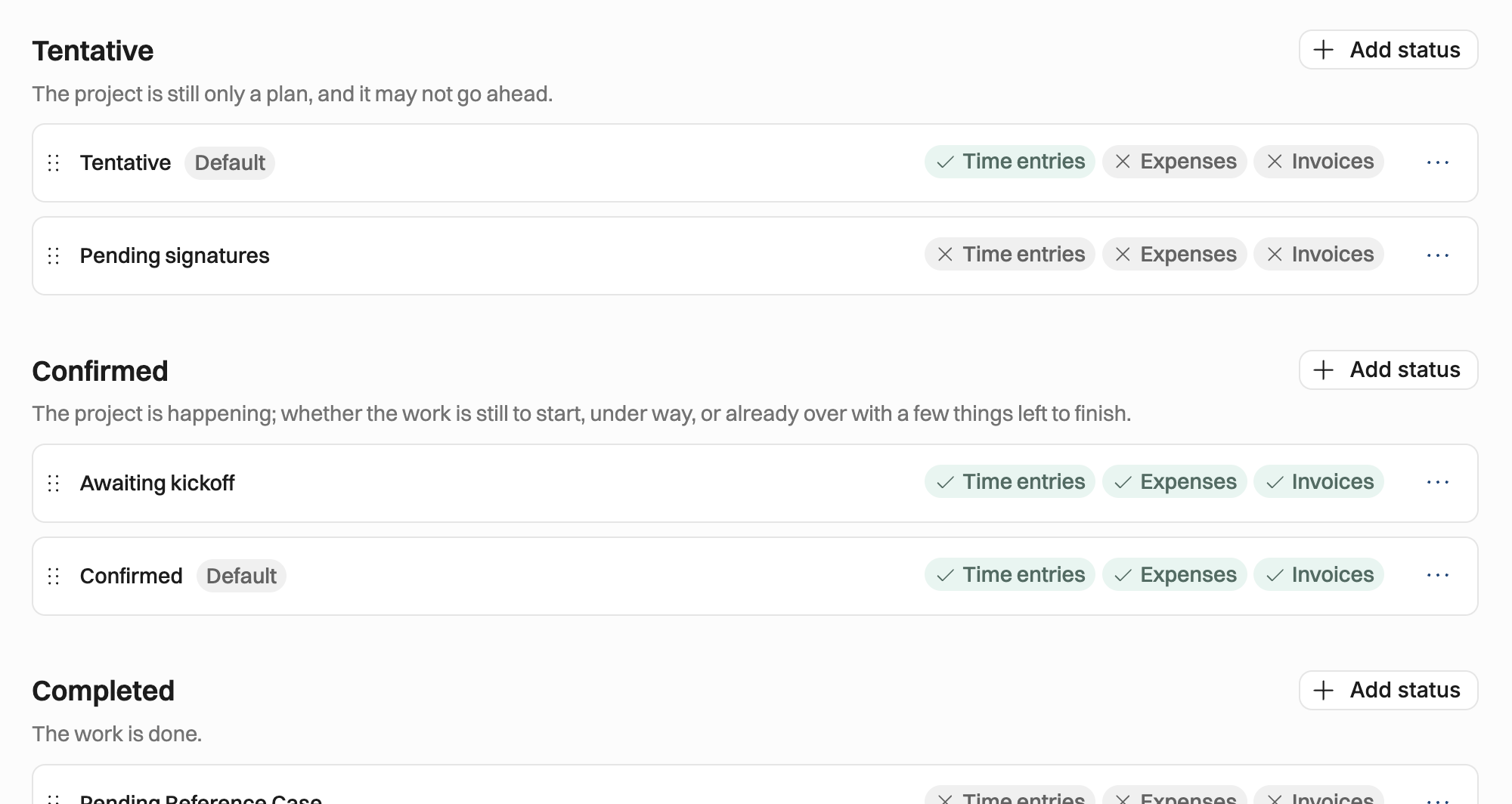
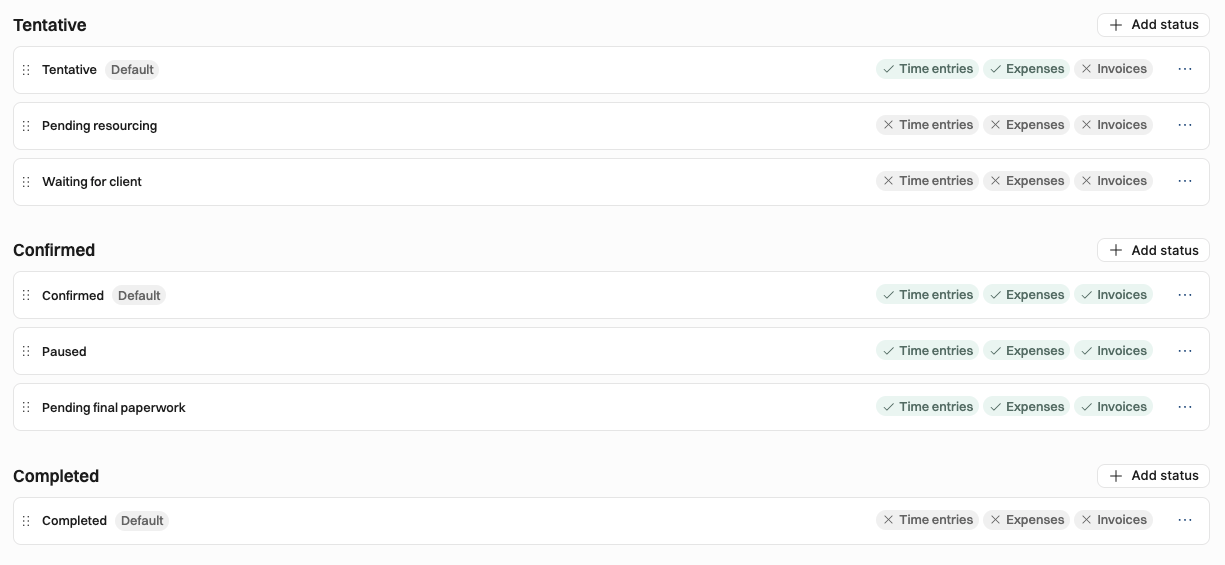
  • Your own statuses. In Settings → Projects → Statuses you can add as many statuses as you need inside each category: "Pending signature" and "Waiting for staffing" under Tentative, "Ongoing" and "Paused" under Confirmed, and so on. Reports and figures follow the category, so renaming a status is always safe.
  • What is allowed to be done in each status. Tentative and Confirmed statuses have toggles for time entries, expenses and invoices: do you allow tracking them or not. Every existing Confirmed status has all three on, so nothing changes for you until you turn one off.
  • Completing a project. Completing a project walks you through what is still open. A completed or cancelled project is read-only and looks like it: its plan, time and expenses are locked until you reopen it from the status picker.
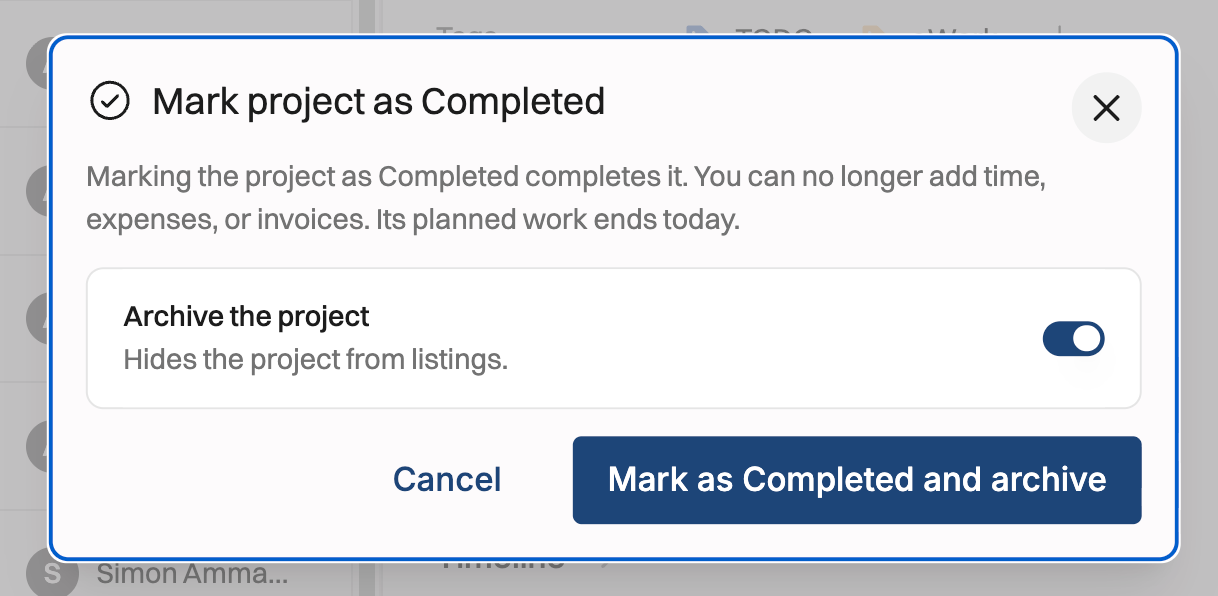
  • Archiving is now a separate step. Your archived projects have been moved to Completed (if they were confirmed) or Cancelled (if they were tentative). From now on, only completed and cancelled projects can be archived.
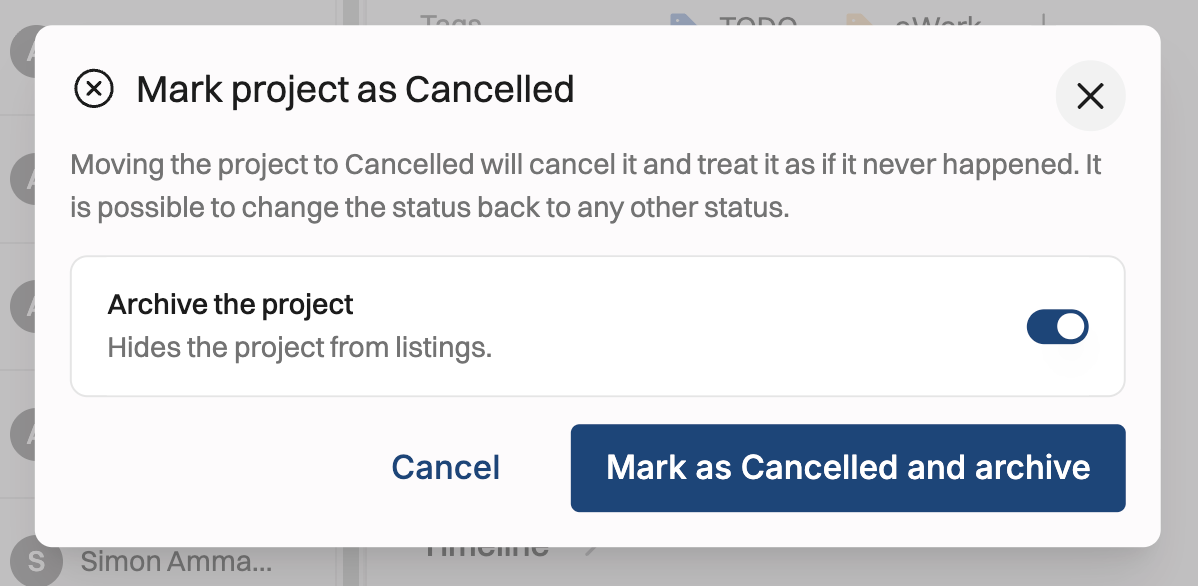
For API and MCP users: GET /v1/project-statuses and MCP list_reference_data now return category and acceptsInvoices (both additive). The public API refuses time entries on a Tentative status whose time entries toggle is off. The old archiving behaviour via the API stays supported until the end of January 2027, as described in the heads-up.

A new way to edit allocations on the timeline

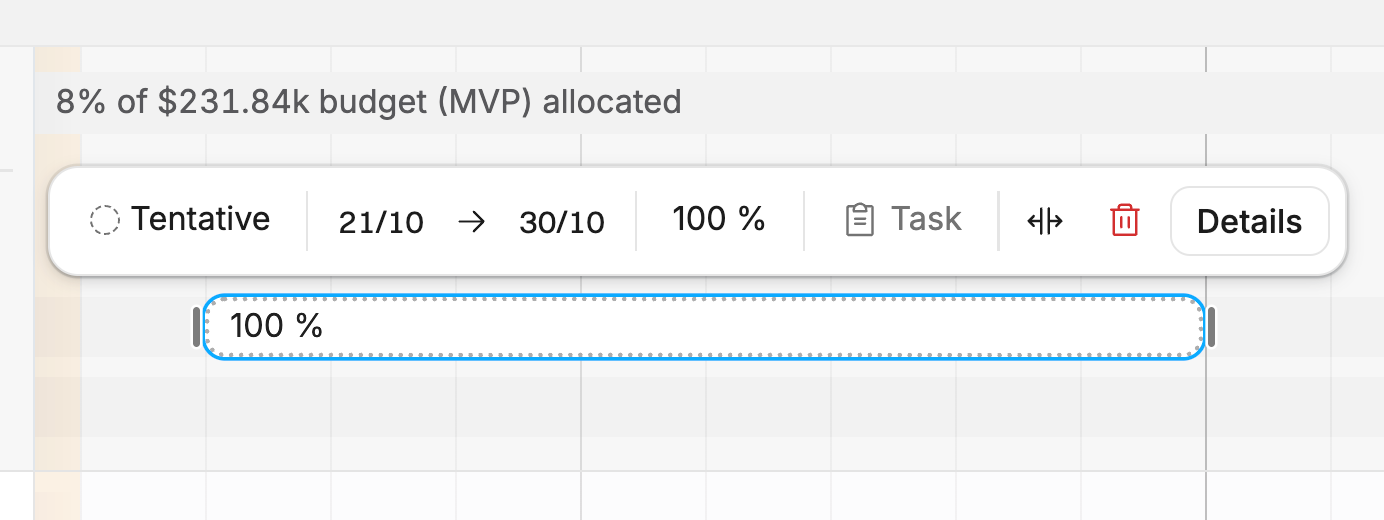
The allocation edit popover is gone. Select an allocation and its controls appear in a toolbar: dates, intensity, task, split and details, without a dialog covering the timeline you're planning on. You will still find the old pop-up form behind “Details”.
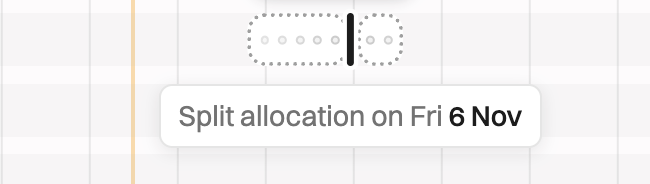
Along with it:

  • Allocation percentages no longer show fractions like 33.333 %.

  • Allocation bars no longer round hours.

Xero integration is live
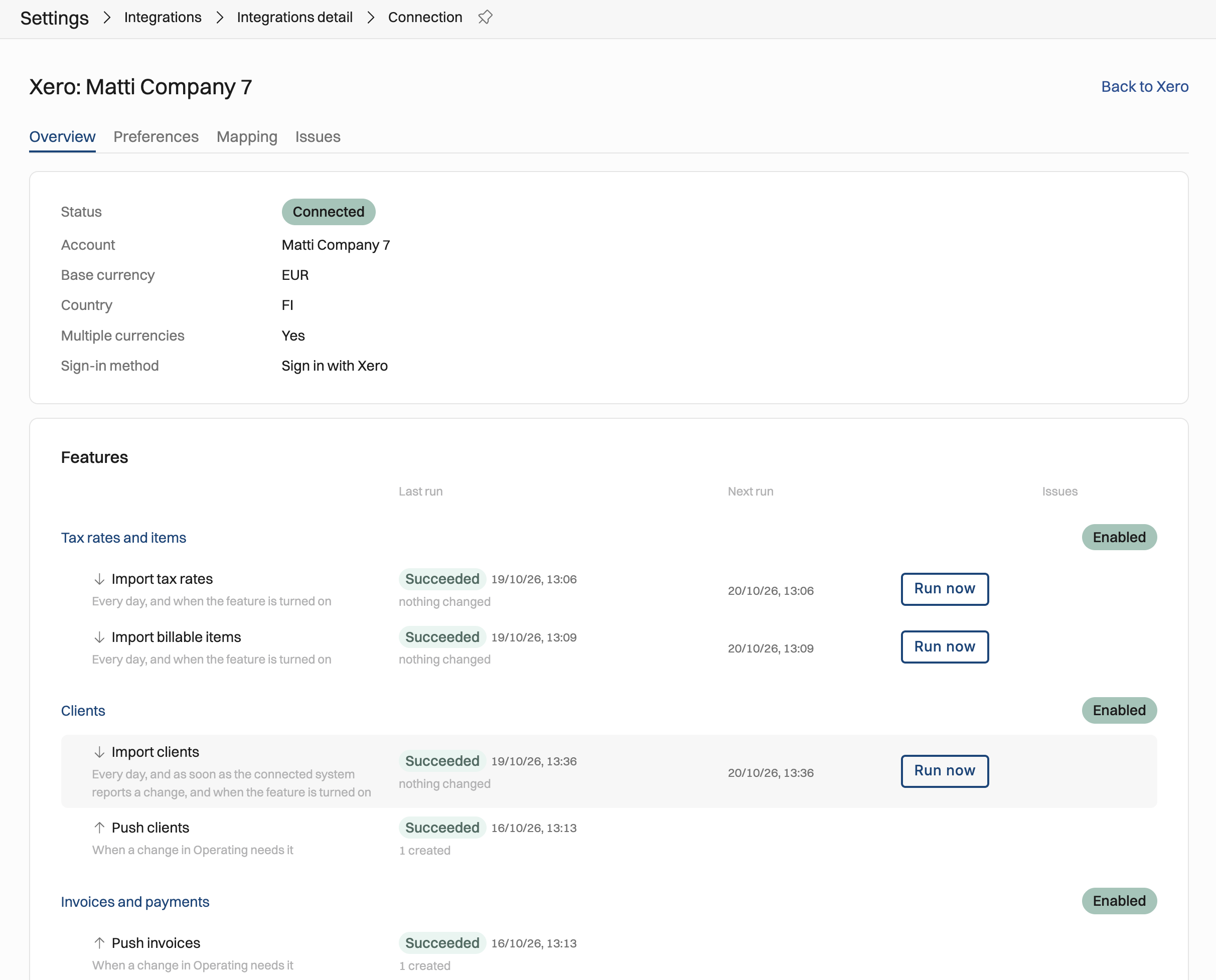
Operating now connects to Xero. Invoices and credit notes you create in Operating are pushed to Xero as drafts, and payments flow back so you can see what's been paid without leaving Operating.

  • Clients sync both ways.

  • Tax rates and items are pulled from Xero, so invoice lines map to the right accounts.

  • You choose what to connect. Pick the features you want before connecting, and Operating requests only the Xero access those features need.

  • Every invoice and client shows its Xero status in a side panel, with a push button and a link to the record in Xero.

  • Problems are visible. Records Xero refuses land in an Issues tab with the reason and a retry button, and the Mapping tab is where you match Operating items to Xero ones.

  • Invoice numbers are now unique per company instead of per organisation, so each legal entity can follow its own numbering in its own Xero.

Set it up in Settings → Integrations. QuickBooks is built on the same foundation and comes next.

Defaults for new projects

Promised last time, now shipped. In Settings → Projects you can set what every new project starts with, whether it's created by hand or from your CRM:

  • billing type and task list

  • rate card, with an override per site

  • project owner, secondary owner and invoicing owner

Timesheets that fill themselves (if you want)

  • Confirmed time off allocations now prefill timesheets. You decide which time off categories do this.

  • Allocations can optionally carry a task, and timesheets show planned hours per task row.

  • "Lock timesheet" is now called "Submit timesheet" everywhere, because that's what it is. 🔒

Company assignments are time-gated

The last piece of time-gating is done. A person's company now has a history, like their role, seniority and site, so moving someone between legal entities no longer rewrites last year's figures.

50% time offs affect remaining work correctly

All partial time off now counts correctly towards booked % and overbooking. If you’re taking a half-day off, all work on that day is decreased by 50% and your booking no longer goes to 150% or so.

For teams using the API and MCP

  • Bulk endpoints for allocations and positions in the REST API.

  • Project notes can be read and written through the API and MCP.

  • MCP is on by default for new permission sets, and every tool now has an output schema and a title, so AI clients pick the right tool more reliably.

  • MCP exposes employment start and end dates, list_expenses takes a client filter, and time tracked through MCP lands on the right task and phase.

Also shipped

  • Permissions. Deleting projects and clients is now its own permission, separate from managing them.

  • HiBob. List fields from custom HiBob sections are available in field mapping.

  • Positions list. Add notes and edit inline straight from the list.

Fixed

Invoicing. Line items for projects or tasks that share a name no longer merge into one line. Invoice CSV export works again. Time entry rates are never rounded. Earned revenue to date no longer includes future retainer revenue.

Time tracking. Daily totals line up with the hours cells again. The weekly table no longer allows overlapping hours. The timesheet no longer shows duplicate task options after positions are archived. Long time balance adjustment descriptions wrap instead of being cut off.

Planning. Archived allocations on archived tentative projects are hidden on the people timeline by default. Rescheduling a project no longer creates overlapping budgets. Also: the Reschedule button moved to a better location on the project timeline. It’s a life-saver when the client postpones the start!
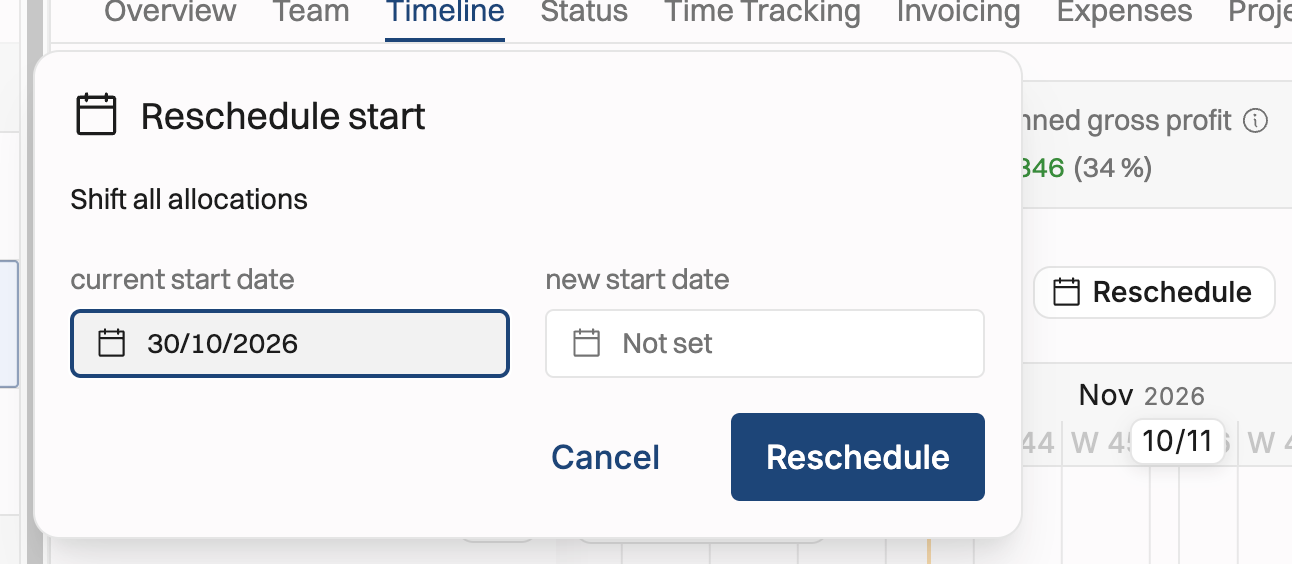
Integrations. HubSpot handles merged records. The Harvest full-history import is vastly improved. The public API allocations report works for large organisations, and intermittent MCP server errors are gone.

Still in flight

  • Retainers and milestone billing. Built and in early access, with UI polish under way. Several projects can now be priced per phase, so one project can mix billing types. Ask us if you'd like to try it.

  • QuickBooks, on the same integration platform as Xero. Soon!

  • Budgets with target hours and costs, and working patterns.

Questions? The in-app chat and support@operating.app are always open.

If you read this far, thank you. A human wrote this. AI helped.
Coming soon: customisable project statuses

Customisable project statuses are finally coming to Operating. Estimated launch date: Monday, October 19th.

⚠️ This may require action from your end. ⚠️

Soon, project status can be

  • any shade of Tentative: for example “Waiting for Staffing”, “Pending signature”, …

  • different kinds of Confirmed: for example “Ongoing”, “Paused”, “Pending final paperwork”…

  • Completed

  • Cancelled

We will share more info on the customisable statuses later on. This heads-up changelog focuses on the changes in workflows that might be unexpected:

  • Projects get explicit end states.

  • Today a project ends by being archived, whether it was delivered or never happened.

  • With the new statuses, the outcome is recorded first, and archiving is a separate, optional step.

What changes in the project lifecycle

Today

From October 19th

Confirmed → Archived

Confirmed → Completed → (Archived)

Tentative → Archived

Tentative → Canceled → (Archived)

Archiving via the API

  • Only projects with status Completed or Canceled can be archived.

  • For existing Operating customers, the old archiving behaviour stays supported until the end of January 2027.

    • If you archive tentative projects using the API, the status will also change to Canceled

    • If you archive confirmed projects using the API, the status will also change to Completed

⚠️ Action needed if you pull data from Operating ⚠️

If you filter data with "tentative, archived" or "confirmed, archived", update those filters to Canceled and Completed.

This may break on Monday, October 19th:

  • CSV exports

  • Integrations using the Operating API

  • Your MCP use

Reports API is unchanged

The Reports API works as before. Canceled projects are excluded, the same way "tentative, archived" projects are today. Completed projects are included in confirmed numbers.

Dark mode, time-gated sites, long-term leave, tables your way

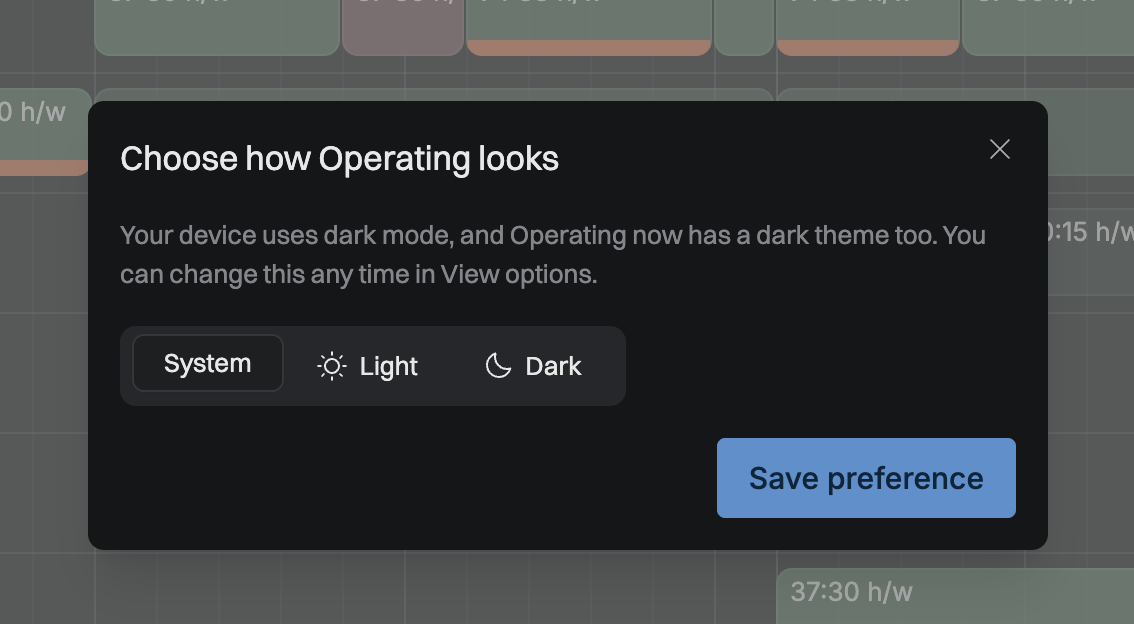
Dark mode is here

You can now choose Light, Dark or System in your user preferences. If you're used to Operating in light mode, nothing changes unless you want it to, because existing users stay on Light by default. If your computer is set to dark, Operating asks you once how you'd like it.

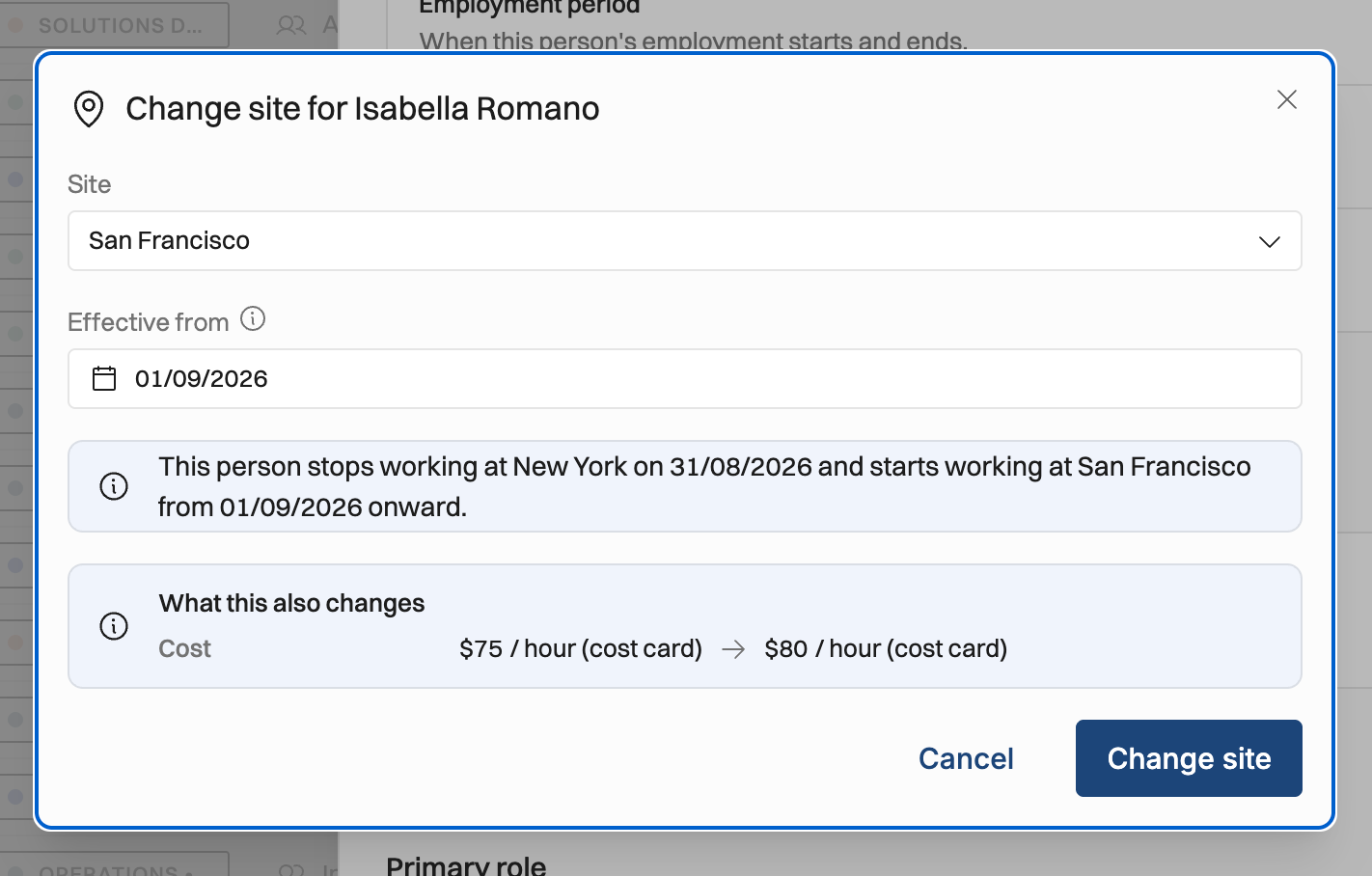
Site assignments are time-gated

As promised last time, a person's site now has a history, just like roles and seniorities. When someone moves from one office to another, the calculations follow the site they were actually on for each date. That covers working hours, public holidays, cost cards, rates and cost capping. Reports that filter or group by site use the site in effect during the period, so last quarter's utilization by site stays last quarter's. Still coming up: time-gating person-to-company assignments.

You manage the history on the person page, the same way as roles. If you sync people from HiBob with site import on, HiBob's work history is now the source of truth for site history. One heads-up: for people who have changed sites, historical hours and costs may shift to where they should have been all along.

Long-term leave, and time off that respects capacity

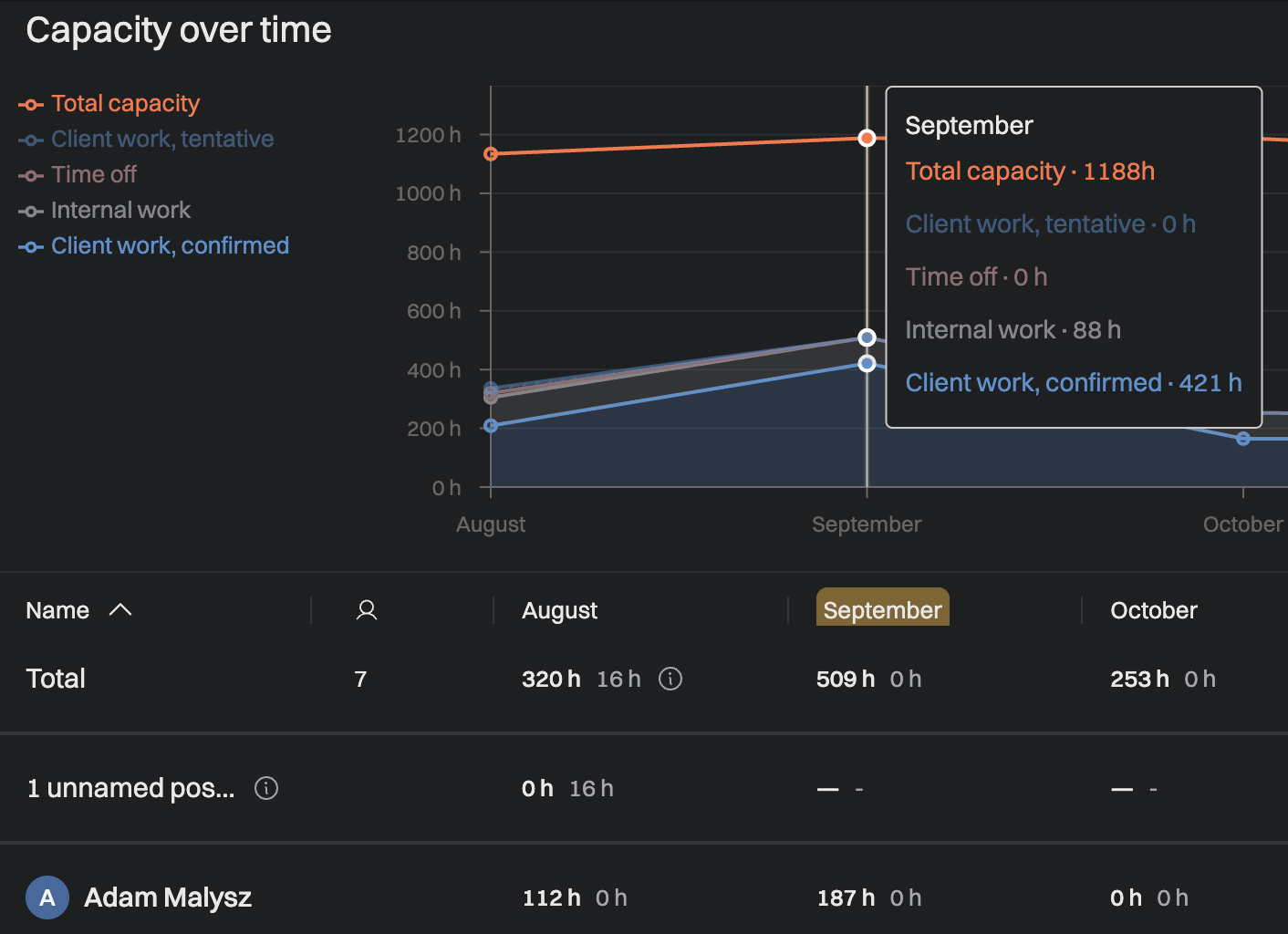
  • You can mark a time off category as long-term leave, such as parental leave or a sabbatical. A confirmed allocation to it then takes the person out of capacity for that period.

  • Capacity and availability reports no longer count people on long-term leave as available.

  • You can set a default time off category in time tracking settings.

  • HiBob users can map HiBob leave types to their own time off categories.

  • Who can see what kind of time off someone has now follows your time off permission everywhere: allocations, Planned vs Actuals, exports and MCP.

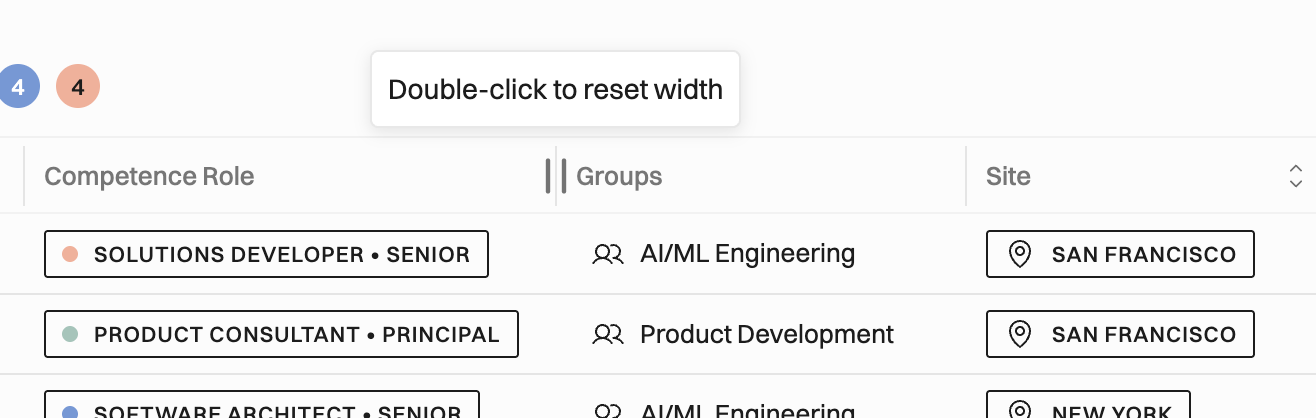
Tables your way

You can resize columns and drag them into the order you like, and Operating remembers the order. Wide tables now scroll sideways instead of squeezing everything onto the screen.

Leaving Harvest just got easier

Harvest's price increase has more teams looking for the exit, so we've smoothed the path:

  • Full-history import. You can now reliably bring over all your history, not just recent data.

  • Time off categories. Harvest's Absences tasks now arrive as Operating time off categories.

  • The Timer. The “I started on this particular task, keep track until I say I’m done”. The natural companion feature this is, of course, the rounding-up of time entries.

  • Reports fix. Imported entries missing from reports have been fixed.

  • Improved Expense handling. Marking individual expenses as invoiced, for example.

Coming in the next release, the import will also bring over positions from project assignments, budgets, fixed-fee projects as fixed price, task rates and archived state. This will be on by default for new Harvest connections and available as a toggle for existing ones. If you know a team stuck on Harvest, send them our way.

HiBob: upcoming hires and skill levels

For teams using the API and MCP

  • Site history endpoint. There's a new /person-site-assignments resource. The siteId field on people still works but is deprecated. Setting siteId through REST replaces the person's whole site history with a single period, so please move integrations to the new resource.

  • Faster bulk changes. Bulk time entry and individual working hours changes are much faster, because financial recalculation now runs in the background instead of blocking each request.

  • MCP updates. manage_person can now manage site assignments, and get_project now marks archived task assignments.

Also shipped

  • Time entry lists can show and group by the "Reports as" task, so granular project-specific tasks roll up to your shared ones.

  • The person overview now shows which client someone is working on.

  • The planned expenses export can be filtered by project status.

  • The timesheet planned total now shows over-allocation, such as "80:00 h of 40:00 h", instead of capping at 100%.

  • Hours on the project detail page are no longer rounded. I’m sorry we rounded them earlier.

Fixed

Approvals. Approvers who saw a pending count but an empty list now see their entries. New organizations with approvals enabled let admins approve any time entry by default.

Invoicing. Fixed-price invoice totals no longer drop to zero after editing the attached time entries. A credited invoice's CSV export includes its time entries again. Invoices no longer show as "ready for invoicing" while their entries are unapproved.

Hours. Typing 1,999 now shows 2:00 rather than 1:60, and the extra whitespace under the timesheet is gone.

Lists and reports. Grouped hour totals are back in time entry lists and the Active Projects report. People and Projects report rows expand reliably. Planned vs Actuals change arrows are correct, and the "% of budget spent" column fills in without extra columns.

Timeline. Tooltips are no longer cut off, pinned labels no longer jump, and the working-hours clock icon no longer overlaps the percentage.

Other. Converting a shared task to project-specific now works properly. Renaming a HubSpot deal now updates the project name. CSV import rejects currencies that aren't in your settings.

Still in flight

  • Retainers. Recurring budget schedules and retainer revenue recognition are built, and invoicing comes next. Early access is available if you'd like to try it.

  • Billing and projects. Multiple billing types within one project, custom project statuses, and statuses for positions and allocations are in progress. So are organization-wide defaults for new projects, covering the default rate card with per-site overrides, owners and task list. Super exciting stuff.

  • Time off and allocations. Allocations will carry tasks, with planned hours shown per task row on the timesheet. Timesheets will also prefill from confirmed time off, if you so wish.

  • Also coming. Working patterns, an expense detail page, and the accounting integration platform for QuickBooks and Xero.

Questions? The in-app chat and support@operating.app are always open.

If you read this far, thank you. A human wrote this. Check out our newest customer stories from the US.

Earlier updates