Roles and seniority levels
Roles and seniority levels define how competence is structured in Operating — a Role is the broad discipline a person works in, and a seniority level refines it. Together they drive billing and cost rates, power staffing suggestions, and enable planning and forecasting by competence.
Written By Mikko Karjalainen
Last updated 17 days ago
Video - 1 minute - introduction to roles & seniority levels
Roles vs. Skills
A Role is broad — the discipline someone works in. Don't confuse it with Skills, which are finer-grained capabilities a Person can have many of, grouped into categories — for example language proficiency (German, French), industry experience (hospitality, travel), technical skills (localization), or people skills (facilitation). A Person has one or a few Roles but can carry dozens of Skills.
Example roles:
Software Developer
Designer
Project Manager
Strategist
Examples skills and skill categories:
language proficiency: german, french
industry experience: hospitality, travel
technical skills: ChatGPT, localization
people skills: facilitation, interviews
Primary role and additional roles
Every Person has one primary Role, which keeps reporting sensible, and may have additional Roles on top of it. You can group and filter by primary Role across Operating — for example, Display → Group by → Primary Role.
You manage a Person's Roles in the Roles section of their Person detail page (Employment tab), or by clicking the role next to their name on the Overview tab. The section has two parts, Primary role and Additional roles. A Person without a Role shows No primary role assigned — click Add role to give them one. You can add additional Roles once the Person has a current primary Role.
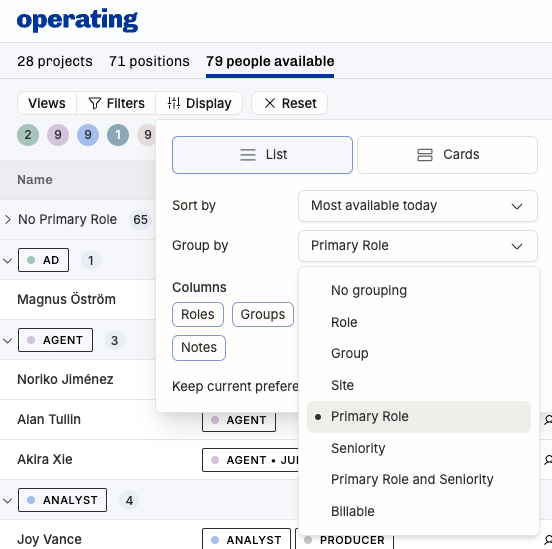
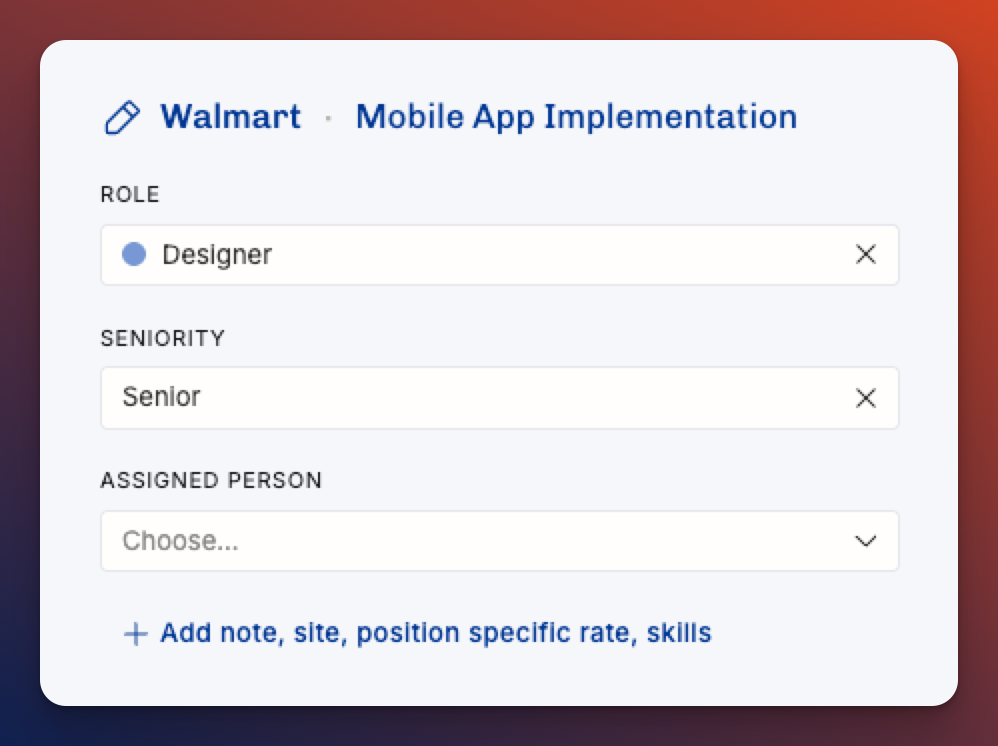
A Position's Role is what drives its rate: the Rate card prices the Position from its Role, seniority, and Site. If a Position has no Role of its own, the assigned Person's primary Role is used instead — and you can always set a position-specific rate to override. For the full order Operating follows, see What are Positions and Allocations? & How does Operating decide which rate to use?.
Seniority levels
A seniority level is always tied to a Role — they don't work independently. Someone is a "Senior Martech Consultant," not a "Senior" on their own. Because of this, searching for people by seniority alone won't match anyone; pair it with a Role.

Role and seniority changes over time
When a consultant gets promoted, or someone changes roles (e.g. from internal to consulting, or vice versa), their rates, cost rates and their contribution in reports will naturally be affected.
In order to preserve the history as it was, and show future as it is different, Operating time-gates the effective dates for role and seniority changes. When you change the role or seniority, you will see this kind of dialog (editing Matti von Example, formerly a Project manager, now transferring into Delivery Operations – with the seniority Principal, nothing less):
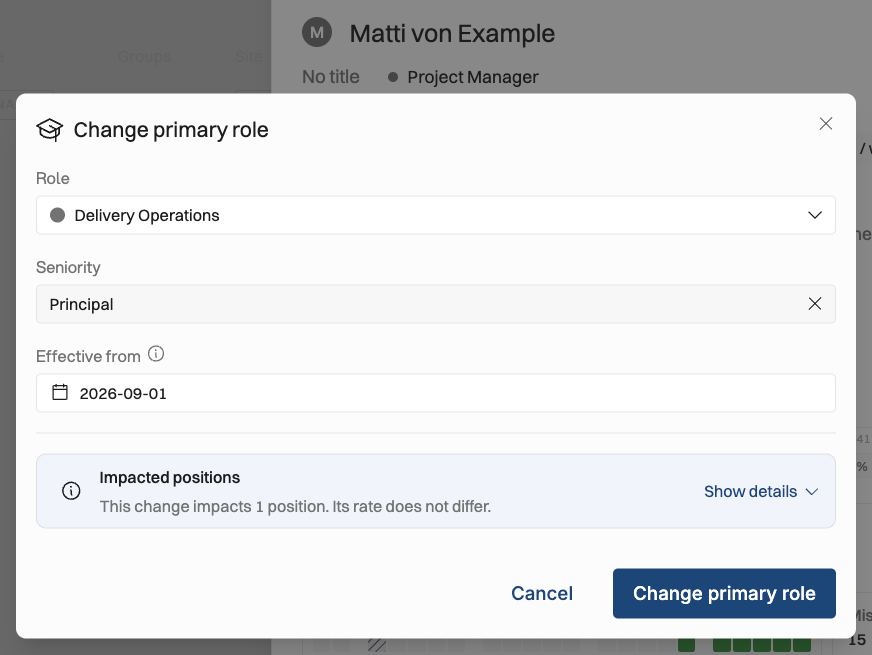
Set the date from which this change is effective.
You can see which project assignments (positions in projects) will be affected by this:
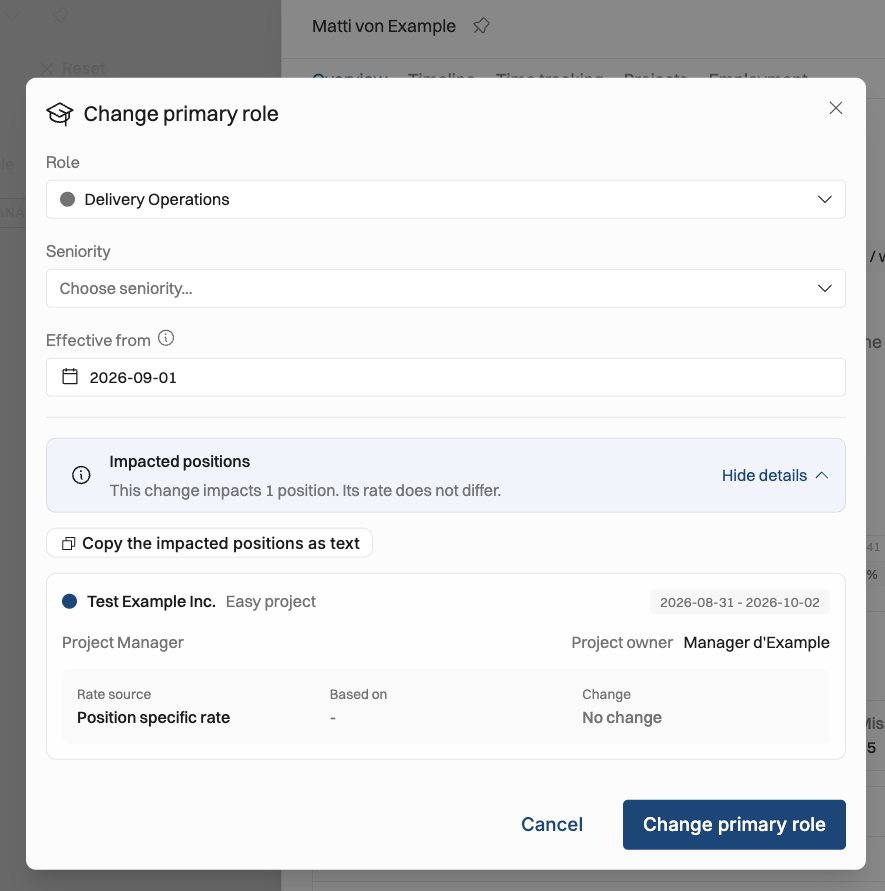
A couple of quality-of-life improvements there: you can copy the impacted positions with one click in order to discuss the potential changes in bill rates (or whatever needs to be done).
Past and upcoming roles
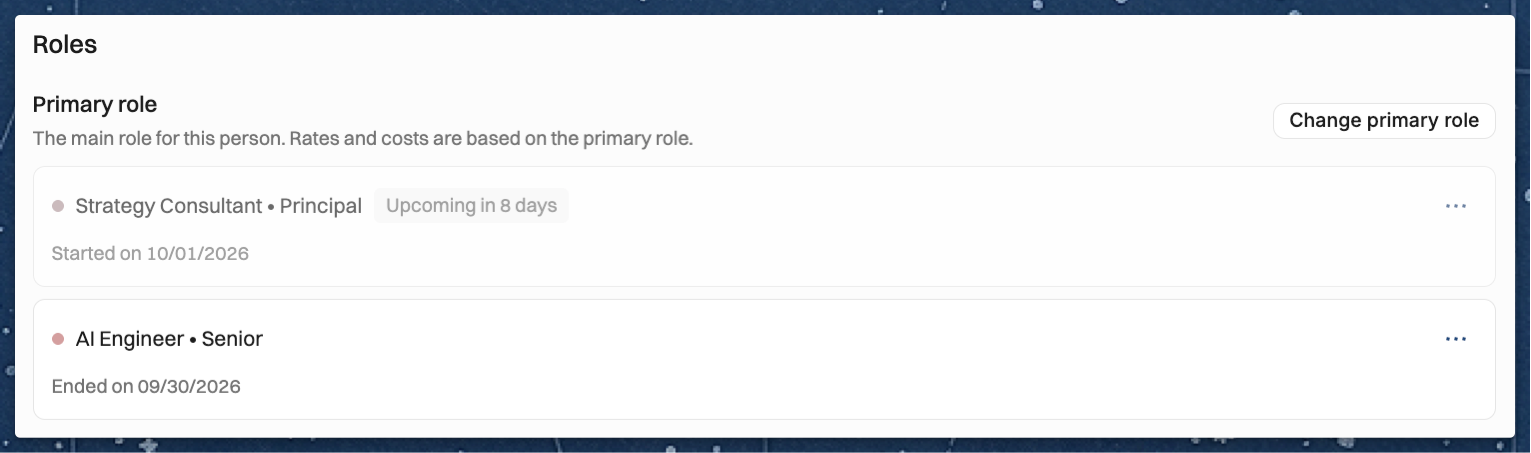
Each Role in the Roles section shows the dates it applies, for example "Started on 1 Oct 2026". A Role that starts in the future is marked Upcoming (for example, "Upcoming in 2 weeks") until its start date arrives. Roles that have ended are hidden by default: click Show history under Primary role or Additional roles to see them, marked Past role, and Hide history to hide them again.
To fix a Role that was entered wrongly, open the … menu on it and choose Edit... to correct the Role, the seniority or the date it started. Delete... removes the Role from the Person's history completely, so keep it for mistakes — for a real promotion or role change, use Change primary role so the earlier Role stays on record.
Billable and non-billable roles
A Role can be billable or non-billable. Work done by a Person whose primary Role is non-billable is treated as non-billable — carrying a zero rate and earning no revenue — unless a rate is set on the Position.

How roles and seniority drive rates and costs
You set charge-out rates and cost rates by Role and seniority, so a Position gets the right numbers as soon as its Role and seniority are filled in — even before a Person is assigned. See: How to set up rate cards & How to set up cost rates
Planning and forecasting with roles
When you plan a team on the Project's Team tab or the Timeline, set each Position's Role first. With the Role (plus Site, Skills, and allocation) in place, Operating can suggest the best-matched people, and your Projects, People, and Reports views start to show what's coming — even before you know exactly who will work when.
Open Positions defined by Role and seniority let you forecast capacity by competence and signal to recruitment which Roles are in demand. @hiring
Was this helpful?
Still need help? Ask the team