Skills
Skill management
Written By Matti Parviainen
Last updated 4 months ago
In a perfect world, adding skills to their profile should get the consultant thinking about the valuable and impactful work they’ve done, are currently doing, and wish to do next.
Revising the skill profile may happen regularly if you have development discussion routines in place, or whenever a project ends—that’s when the staffing team will ask questions related to these matters anyway.
All of the categorization settings are optional. If extreme simplicity is your goal, you can use one category and simply not define any levels or feelings at all.
The examples below are suggestions to get you started.
Skills
You can access your own skill profile by:
From the top left of the screen, click Organization name → My Profile
People → your name → Skills Tab
If your Manage basic info permission is set to "Only edit their own basic info" (or higher), you can edit your own profile.
The core competencies in your company are already defined by your role(s). Skills are more specific. For example, a software developer would have the Developer role, but their skills could include AI, Enterprise Architecture, React, and WordPress.
The key to skill definition is to think about it from a staffing professional’s practical perspective: how can they determine whether this person has the right skills for a (somewhat vague) client project need?
Of course, staffing remains a very human process, and decisions can never be fully automated. It should always be a dialogue about what both the client and the consultant know and want.
Skill categories
We provide an example set of skill categories your company can edit to your liking.
Technical skills
Remember that you most likely want to set up your company’s core competencies as Roles rather than skills, e.g.
if “designer” would be a Role
then “visual design” would be a technical skill.
People skills
Industry experience
Language proficiency
The categories make it easier for your team to structure your skill matrix. Colour-coding makes it easier to glance at the software and spot different types of skill needs in projects. Encourage people to add a skill in each category if possible!
If you decide to add new categories, or edit the names, try to ensure that the categories remain mutually exclusive: it’s confusing if a skill could go into more than one category.
Skill-levels
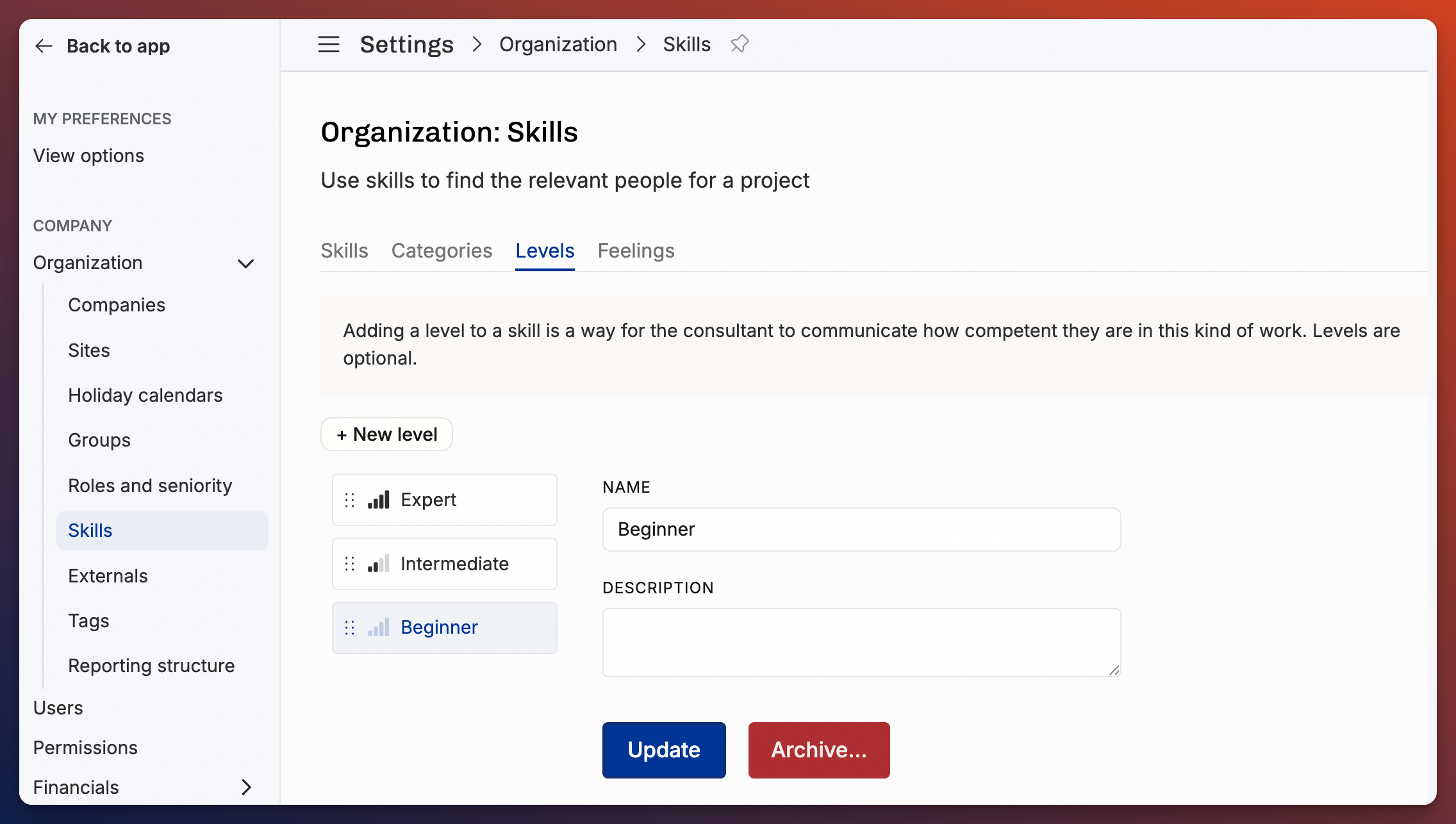
Beginner = not yet ready to do this work on their own
Intermediate = capable of putting this skill into use in a client project
Expert = recognized as a professional in this topic, teaches and instructs others
Unless your company has a very formal seniority/rank framework in place, we don’t recommend putting too much emphasis on leveling people (for example, from 0–5 or 0–10). Try to avoid debates about whether someone is a 4 or a 5.
You can reorganize skill levels to the right order in settings → organization → skills, then open the Levels tab.
Feelings
Most exciting thing to do at work = Super
Interested, want more = Enjoy
No longer interested, would prefer to do something else instead = Tired of
A learning goal = Want to learn
Operating wants to help your staffing team better understand your people. In addition to the free-form 'Here’s what I want,' skill feelings provide an opportunity for your colleagues to express their thoughts. For example, “Java, Expert, Tired of” means that “Jenny has been writing Java for 10 years, is great at it, but would honestly prefer to do something else in the next project."
People can also add notes to each skill. For example, “I’ve practiced this skill on one serious work project and completed three hobby projects in my free time".”
Was this helpful?
Still need help? Ask the team