AI chat (LLM) via MCP
Operating MCP server
Written By Matti Parviainen
Last updated 8 days ago
This video explains how to get started with MCP
Known supported LLM providers our customers have been happy with
Claude & Claude Code
ChatGPT
Gemini CLI
If the
mcp addcommand does not work it is worth trying withgemini mcp add --scope user
Sana
Microsoft Copilot, including Copilot Studio, and the Gemini app are not supported. Gemini CLI is supported. Contact support if you run into any setup issues. These are limitations in Microsoft and Google applications, not our MCP server.
What’s the power of a great LLM & your ops data
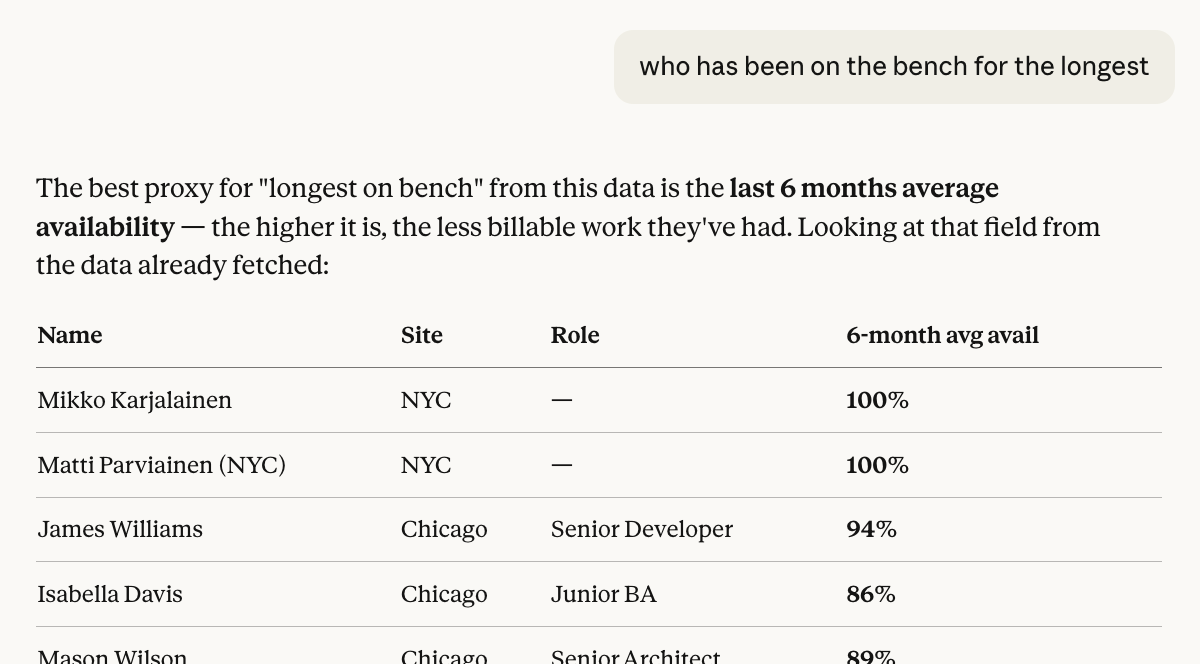
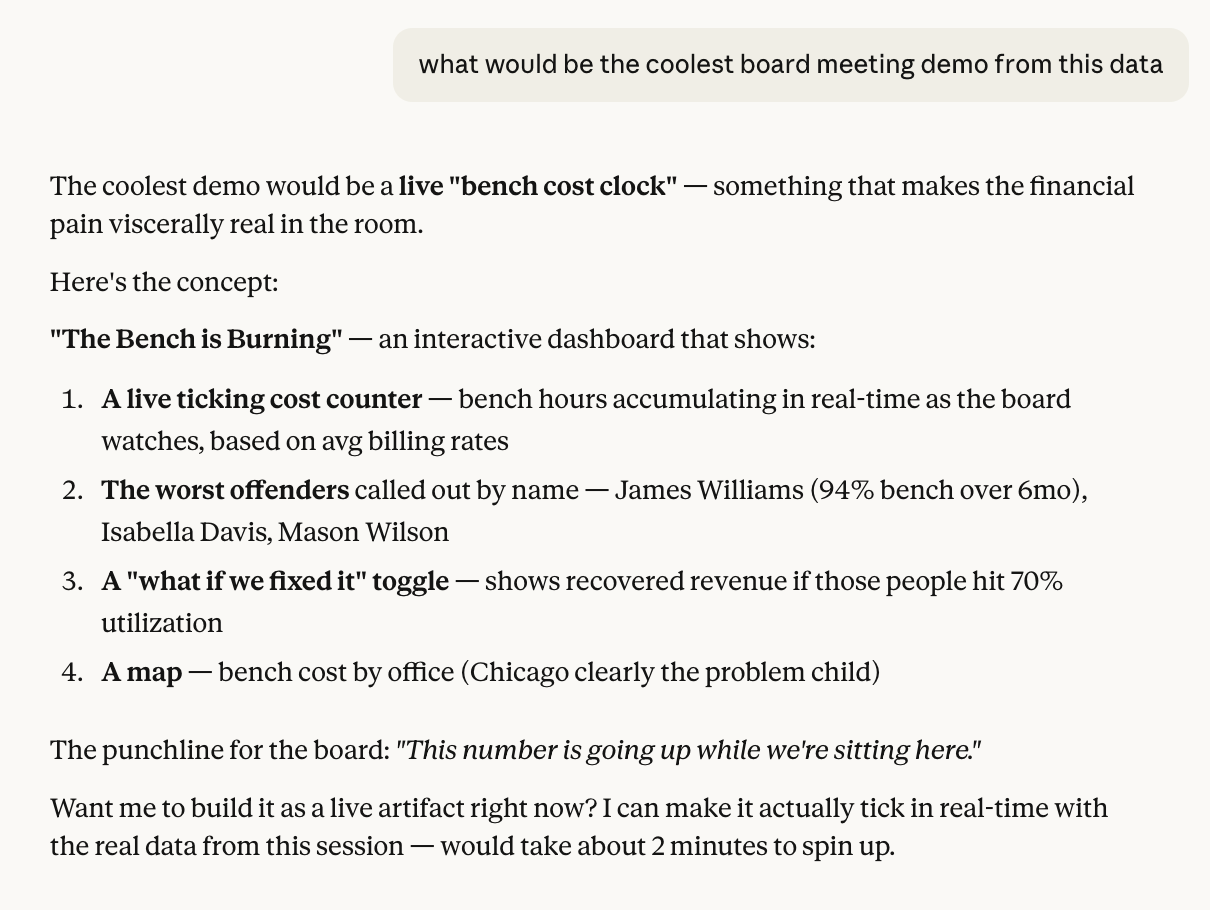
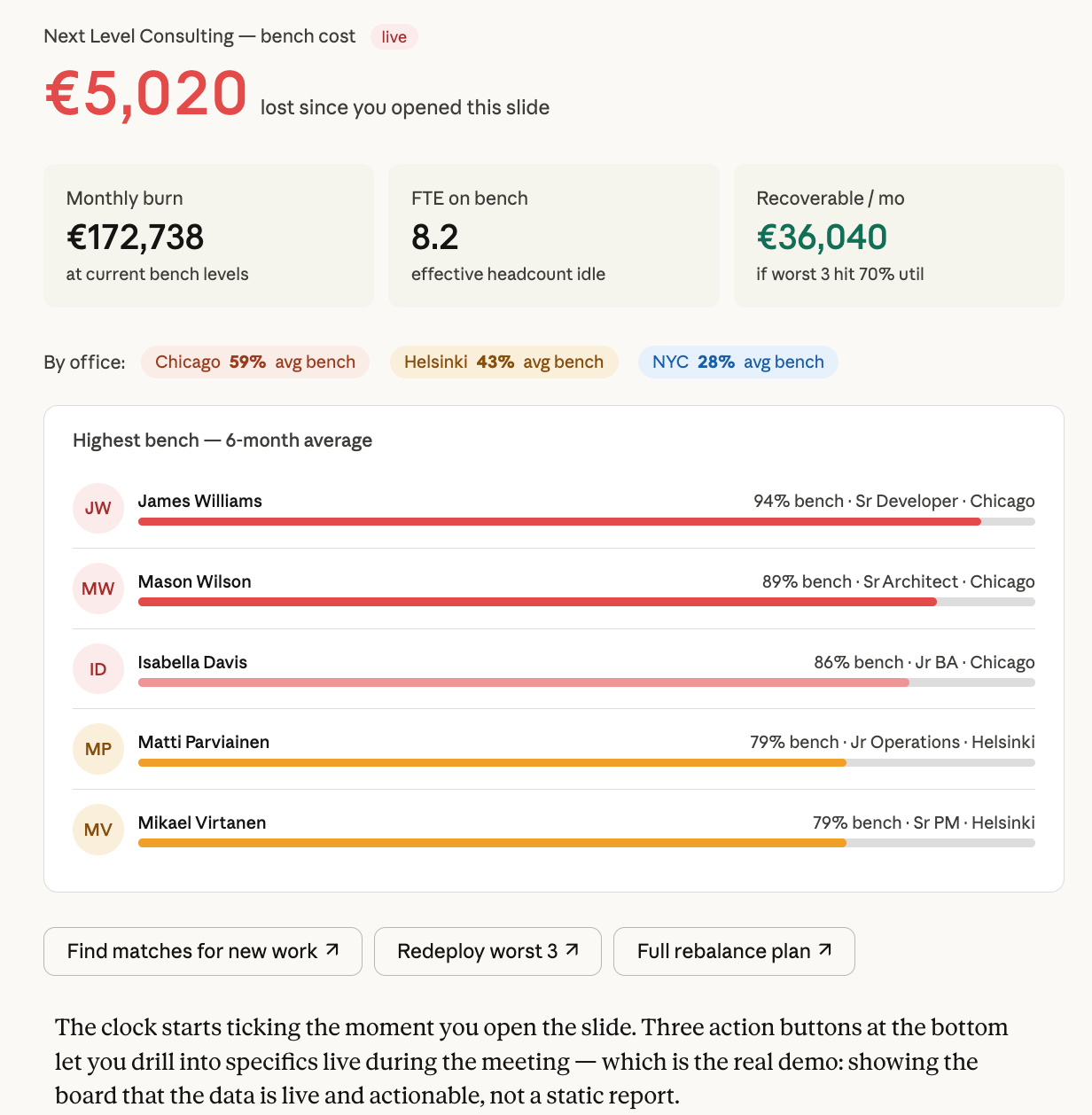
This is just a naive example – not something we necessarily recommend, but kind of cool chain of three prompts with Claude.
Use casual language, the model will figure it out:
Ask it to recommend things:
Create one-off artifacts or reusable agentic workflows based on Operating data:
Of course, for some things like this you might go for tools like Claude for Excel of ChatGPT for Excel instead of the chat interface. Operating MCP works there just as well.
MCP Server Capabilities Summary (updated August 10th 2026)
When a tool is deprecated, Operating shows a notice with its replacement on your personal MCP Setup page in Settings (the same notice also appears on the admin MCP Server settings page).
The Operating MCP server exposes 26 tools across these categories, including List Invoices and Get Invoice for billing documents:
Tenant selection
list_tenants — pick which tenant to work with before calling any other tool
Reference data (read-only)
list_reference_data — one tool for the lookups other tools need, such as roles, seniorities, skills, skill levels, skill sentiments, sites, groups, companies, statuses, client and project tags, task lists, rate cards, vendors and expense categories. Choose which groups to return and filter within each group. Use it to find the IDs that the manage tools and the filtered list tools expect.
People (read + write)
list_people — search/filter people by site, role, group, availability; each person includes their site history
get_person — full detail including site history, roles with their start and end dates, position history, time off, working hours
manage_person — create or update a person, including their roles, skills, groups, costs and site history. Give the person's starting site when you create them. After that, change their site by adding, moving or removing dated site assignments, for example "Anna moves to the Berlin site from 1 October". If sites are imported from your HR system (for example HiBob), a linked person's site history is managed there and can't be changed through manage_person.
Projects (read + write)
list_projects — filter by client, owner, status, site, tags; each project shows when it was archived, if it is archived
get_project — a single project with its details, plus the CRM deals linked to it (each with its stage, probability, value, and close date). Each position on the project lists its own Groups, and each task assignment shows when it was archived, if it is archived
manage_project — create or update a project, or archive or unarchive it. You can also add, update and remove project notes. To add a note, give the note text and the note date. To update or remove a note, use the note's ID, which get_project returns with the project's notes. Archiving follows the same rules as in the app: the time off project can't be archived, all confirmed allocations must end today at the latest, and a project with an archived client can't be unarchived. An archive request changes only the archived state, so send other project changes in a separate request. See How to archive and unarchive projects.
Invoices (read-only)
list_invoices — filter by project, client, company, status, type, date, due date, or sent/ready-to-send state; results page by cursor and can sort by invoice date, status, or amount, ascending or descending
get_invoice — a single invoice with line items, per-project amounts, linked time entries, expenses, payment methods, and PDF link
Reports (read-only)
report_actual — actual work hours and earned revenue over a date range, grouped by project or person and bucketed by week, month, or total, with optional breakdowns, non-person revenue, and opt-in costs; results page with limit and meta.nextCursor
report_planned — planned work, tentative work, revenue, and utilization over a date range, grouped by project or person and bucketed by week, month, or total, with optional breakdowns and opt-in costs; results page with limit and meta.nextCursor
Positions (read + write)
list_positions — person-to-project assignments with filters, including a filter for the position's own Groups (separate from the project's Groups); each position lists its Groups
get_position — a single position with all its allocations and its Groups
manage_positions — create, update, archive or restore positions
move_positions — move positions between projects
Allocations (read + write)
list_allocations — scheduled time blocks, filterable by person/project/date
manage_allocations — create, update, move or remove allocations, with a result for each one so that failed changes can be retried
move_allocations — move allocations between positions
list_time_entries — logged hours, filterable by project/person/date
track_time — log hours against a project
Budgets & phases (write)
manage_project_financial_plan — create, update or remove a project's budgets, planned expenses and rate card assignments
Phases are added, updated and removed with manage_project.
Expenses (read + write)
list_expenses — logged expenses
manage_project_expenses — create, update or remove actual expenses and their line items. An expense that is already invoiced can't be removed.
What you can do with it
An LLM connected to this MCP server can:
Check availability — Find who's free in the next 7/30 days, filtered by role, site, or group
Staff projects — Create positions and allocations to assign people to projects
Reorganize assignments — Move positions between projects or allocations between positions
Track time — Log hours for yourself or others against projects and tasks
Browse the org — Look up people's details, skills, project history, and working hours
Query project data — List and filter projects by client, owner, status, or tags
Manage financials — create and adjust project budgets, expenses, and phases
Create and update projects — spin up new projects, edit their properties, and archive or unarchive them
Update people — change a person's details, roles, skills, groups, or site from a given date
Was this helpful?
Still need help? Ask the team