How to merge clients, projects, and people
Merging entities in Operating helps you clean up duplicates, consolidate data across systems, or handle project continuations. This guide walks you through how to merge entities and what to expect during the process.
Written By Lauri Eurén
Last updated 4 months ago
When to Use Merging
You might want to merge entities in the following scenarios:
CRM Project Continuation
A project created from your CRM overlaps with an existing one in Operating. Merge them to avoid fragmentation.Duplicate Data
You’ve accidentally created or imported duplicates — e.g., multiple people or clients representing the same real-world entity.Multiple ERP Entries
You have several project entries in your ERP, but they’re treated as a single project for time tracking or resource planning. Merge to unify reporting.
What Happens During a Merge
Conflict Resolution: You can choose which data to keep when values differ (e.g., descriptions, owners, dates).
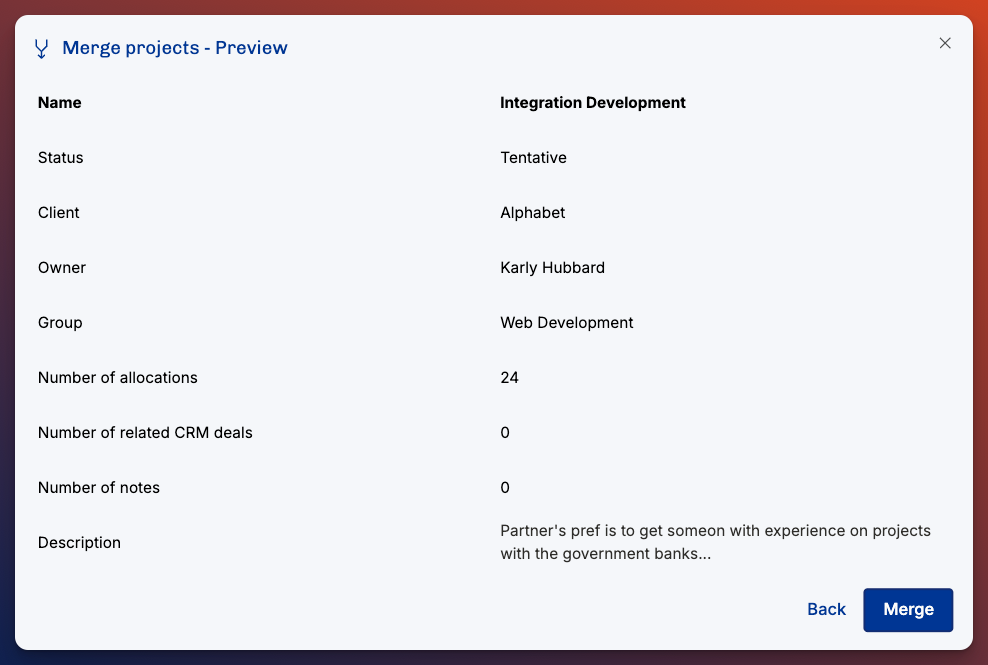
Preview Mode: You’ll see a side-by-side preview of the entities.
External References: If the merged entity came from an external source (e.g., CRM, CSV import), the external ID/reference is preserved in the final merged entity.
How to Merge Entities
Go to the relevant entity list
Navigate to Person profile, a Project Details page, or a Client Details pageClick "Merge"
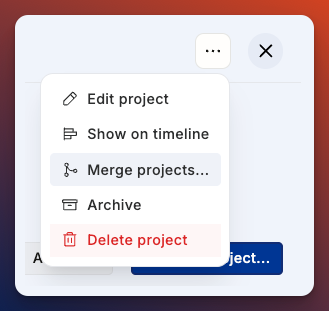
Click the three dots in the top right corner, and then merge projects/clients/peopleSelect which entities to merge
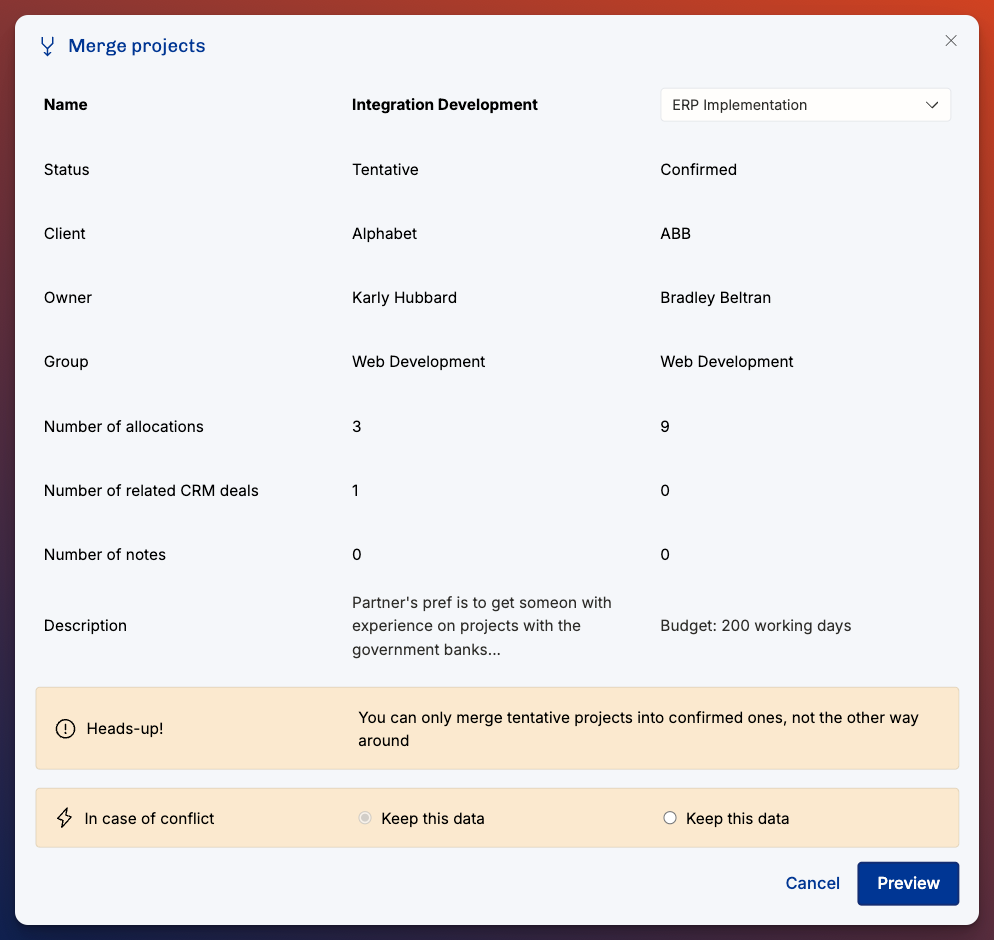
Select the entity you want to merge into.Review and resolve conflicts
You’ll see a preview screen.
Choose which entity’s data to keep in case of a conflict
Fields that don’t conflict will be auto-merged.
Confirm the merge
Once confirmed, the merged entity becomes your master record. Any external IDs or references from integrations (CRM, CSV, etc.) will be preserved and moved.
Note: Merging cannot be undone — double-check the data before confirming.
Things to Keep in Mind
Merging is irreversible. Always review the preview carefully.
Merging will remove all budgets from the other project, and use the budgets that has "Keep this data" selected.
External systems linked via integrations will continue syncing using the preserved external ID/reference.
Things that prevent merging projects:
If you try to merge a confirmed project into a tentative one. Tentative projects can’t have confirmed allocations, that’s why it’s prevented
If the billing types conflict. Change both billing types to the desired one to continue with the merge.
Was this helpful?
Still need help? Ask the team