How to archive and unarchive projects
Written By Lauri Eurén
Last updated 23 days ago
Archiving hides a project from the views but keeps its record. Deleting a project is permanent, so we generally recommend archiving instead.
Archive a project
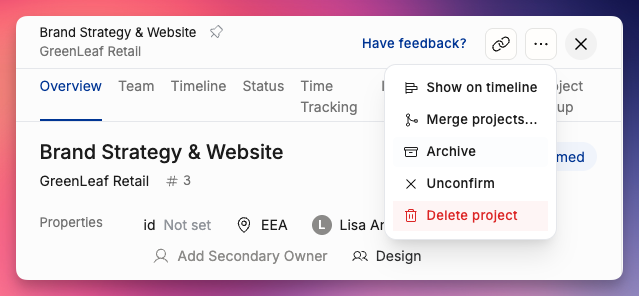
Open the Project Details page.
Click the three dot button on the top right
Click the Archive button
View archived projects
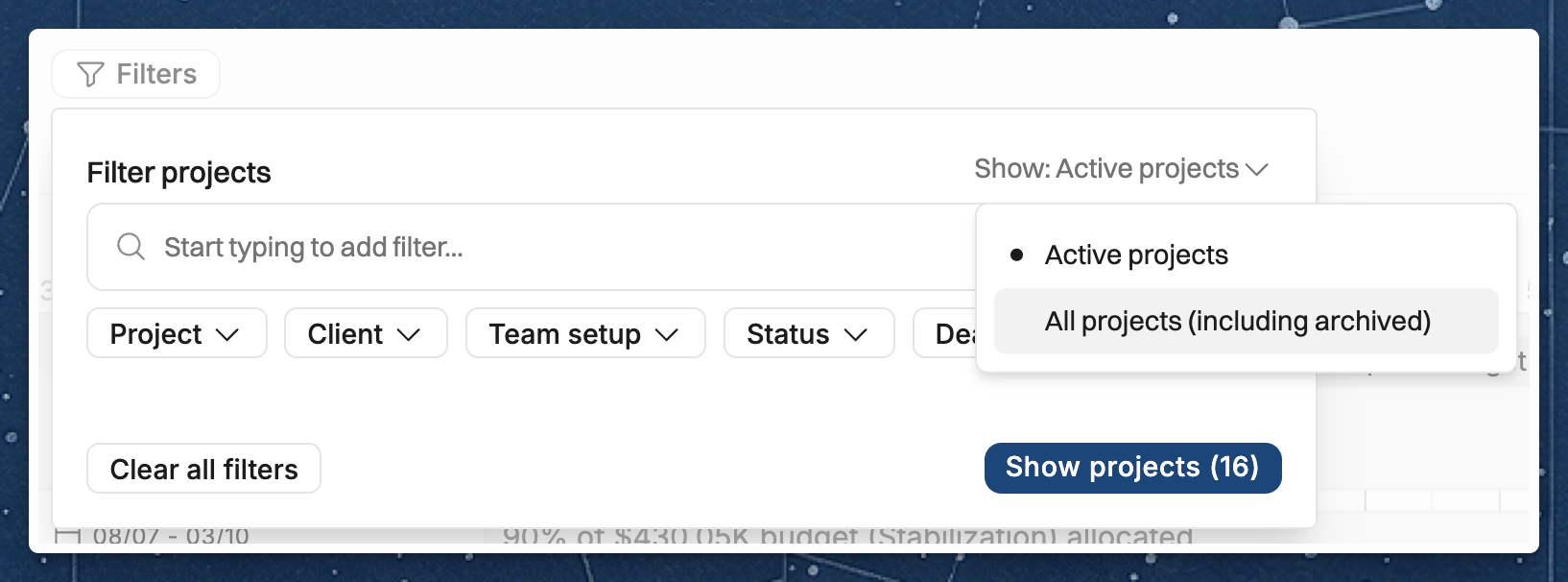
Go to Projects in the sidebar and open the filter at the top of the list.
Change Show: Active projects to All projects (including archived), then click Show projects.
Unarchive a project
On the Projects page, set the filter to Show: All projects (including archived).
Click the archived project to open up its Project Details page
Use the ⋮ (options menu) → Unarchive.
Related Articles
For how archiving behaves across reports, people, and integrations, see How does archiving work in Operating?.
Was this helpful?
Still need help? Ask the team