What are a project owner, secondary owner, invoice owner, and client owner?
Ownership in Operating is split across a few roles: a Project has a project owner, an optional secondary owner, and a separate invoice owner, while a Client has a client owner. This article explains what each one is — and because ownership controls access, approval routing, and reporting, who holds these roles matters beyond the label.
Written By Lauri Eurén
Last updated 9 days ago
Project owner
The Person accountable for a Project — often the sales lead early in a deal, then the delivery project manager once work starts. You set it when creating the Project and can change it any time. The project owner gets access to the Project, and an approval flow can route submitted time to them for sign-off. (see How to set up approval flows)
Secondary owner
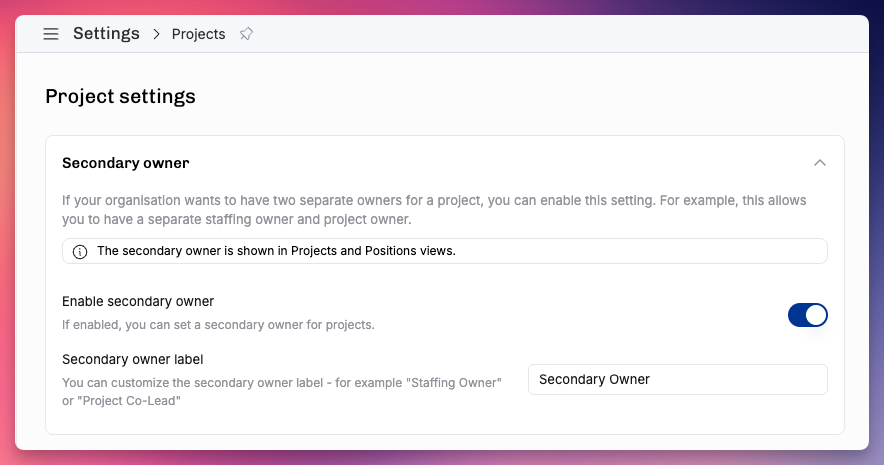
An optional second responsible Person. It's off by default — an admin turns it on in settings — and its label is customizable: the default is "Secondary owner," but some teams rename it to match how they split responsibility, for example "Staffing owner" for whoever keeps the Project's resourcing current. A secondary owner shares access to the Project.
Invoice owner
The Person responsible for billing the Project — a separate role from the project owner, so a finance or account-management person can own invoicing while the project manager owns delivery.
The Client's account owner
Distinct from the roles above and set on the Client rather than the Project: the account owner is responsible for the customer relationship, and they get access to that Client's Projects.
Default owners for new projects
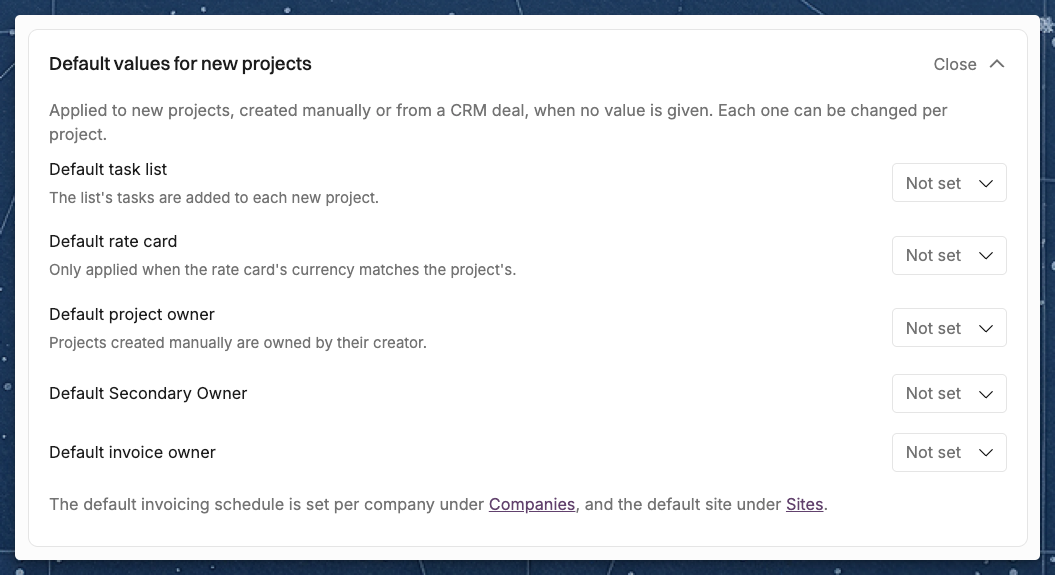
In Settings > Projects, under Default values for new projects, you can choose a default Person for each project owner role. Operating uses the default when a new project is created without that owner, for example from a CRM deal:
Default project owner. A project created manually is owned by the person who creates it, unless they choose someone else.
Default secondary owner, shown only when the secondary owner is turned on. Its name follows your label, for example "Default Staffing owner".
Default invoice owner.
You can change the owners on each project afterwards. See How to create a project for the other defaults in the same section.
What ownership controls
Access — owners (and the Client's account owner) can see their Projects, so the right people reach the right work.
Approvals — approval flows can route submitted time to the project owner.
Reporting & filtering — you can filter lists and reports by owner to see "my projects" or one person's portfolio.
Related articles
Was this helpful?
Still need help? Ask the team