What does submitting (locking) a timesheet do?
Submitting (locking) a timesheet finalizes a Person's hours up to a chosen date, locks those days from editing, and signals that they're ready to be reviewed, approved, and billed.
Written By Lauri Eurén
Last updated 13 days ago
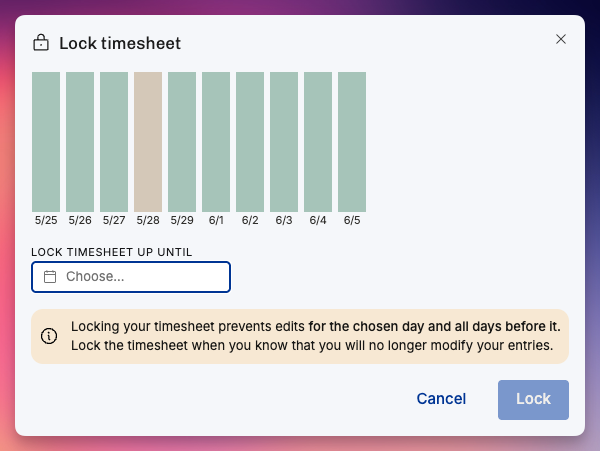
Submitting a timesheet finalizes a Person's hours up to a date they choose and locks those days from further editing. The Person does it with Submit timesheet... in Hours. It marks the hours as Submitted, which signals that they are complete and ready to be reviewed, approved and billed.
Locking is per Person and reversible — someone with the right permission can unlock a period to reopen it for edits. Read more at How to unlock a submitted timesheet.
What locking actually does
The Person picks an end date, and every day up to it becomes uneditable for them.
Those time entries are marked Submitted — you can filter time-entry lists by Submitted or Not submitted, and show submission status as a column.
Nothing is deleted or changed. Locking freezes the hours as they stand; it doesn't alter the numbers.
It's reversible: unlocking a period clears the submitted state and makes those days editable again. (How to unlock a submitted timesheet).
Why submit and lock at all
Locking turns work-in-progress into a settled record. That matters because:
The hours become trustworthy. Everyone downstream — approvers, project managers, finance — can rely on submitted hours being final rather than half-entered.
It prevents accidental edits. Once a period is locked, hours can't be changed by mistake after the fact.
It's what approval and billing work from. Reviewing and invoicing should run on settled hours, so locking is the step that says "these are done."
It gives managers visibility. Submitted versus outstanding tells a manager at a glance whose timesheet is still missing.
How approval fits in
Submitting is the Person's action; approving is a separate, optional step on top.
If Approval Flows are enabled for the project, submitted hours become pending approval, and the assigned approver reviews and approves them before they're treated as final.
If Approval Flows are not enabled, submitted hours are accepted automatically and marked Submitted — there's no separate sign-off.
Approving before you invoice is good practice, because you then bill reviewed hours. It is not required for invoicing. See How to set up approval flows for timesheets and How to approve submitted hours.
Related articles
Was this helpful?
Still need help? Ask the team